xcp_d.workflows.anatomical.plotting module
Workflows for generating plots from anatomical data.
- xcp_d.workflows.anatomical.plotting.init_brainsprite_figures_wf(t1w_available, t2w_available, apply_transform, name='brainsprite_figures_wf')[source]
Create mosaic and PNG files for executive summary brainsprite.
- Workflow Graph

(Source code, png, svg, pdf)
- Parameters:
t1w_available (bool) – True if a T1w image is available.
t2w_available (bool) – True if a T2w image is available.
apply_transform (bool) – Whether to apply the transform to the surfaces.
name (
str, optional) – Name of the workflow. This is used for working directories and workflow graphs. Default is “init_brainsprite_figures_wf”.
- Inputs:
t1w – Path to T1w image. Optional. Should only be defined if
t1w_availableis True.t2w – Path to T2w image. Optional. Should only be defined if
t2w_availableis True.lh_wm_surf
rh_wm_surf
lh_pial_surf
rh_pial_surf
template_to_anat_xfm


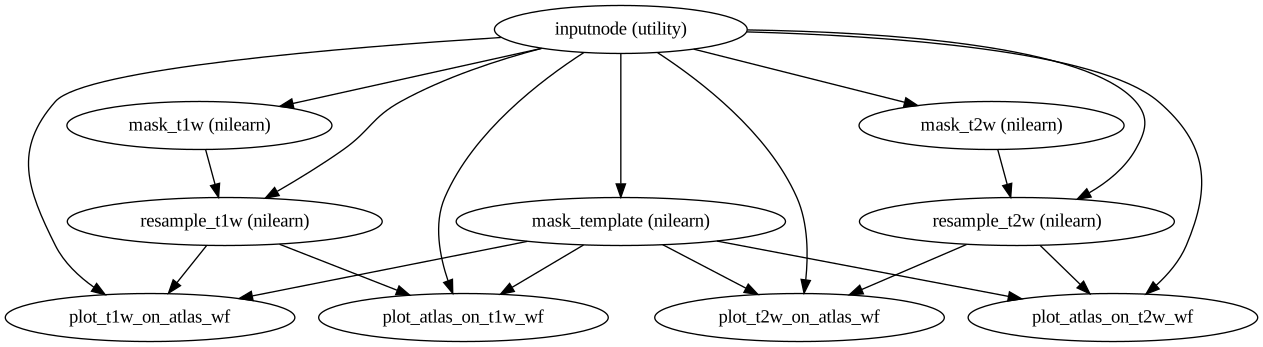
- xcp_d.workflows.anatomical.plotting.init_execsummary_anatomical_plots_wf(t1w_available, t2w_available, apply_template_mask=False, name='execsummary_anatomical_plots_wf')[source]
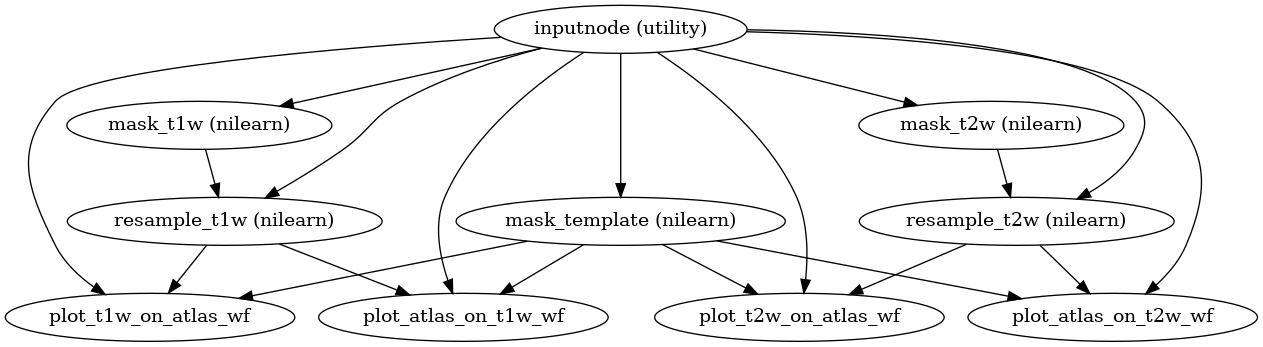
Generate the anatomical figures for an executive summary.
- Workflow Graph
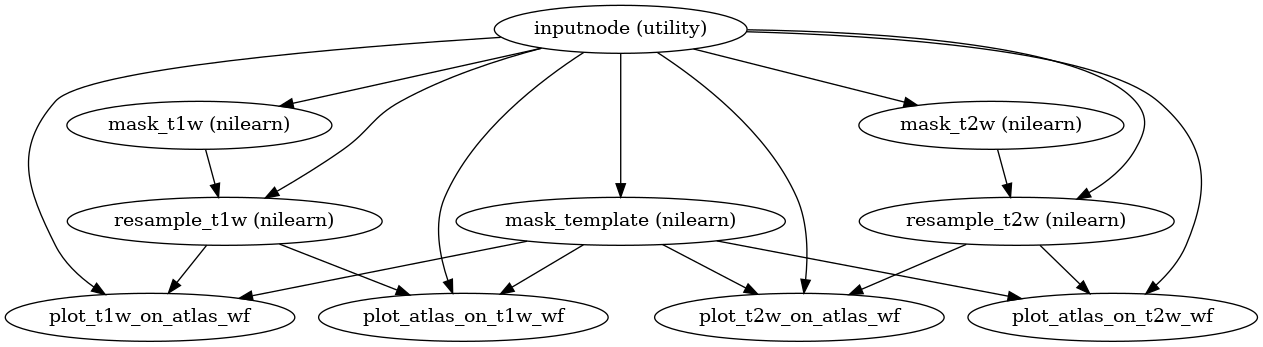
(Source code, png, svg, pdf)
- Parameters:
t1w_available (bool) – Generally True.
t2w_available (bool) – Generally False.
apply_template_mask (bool) – Whether to apply the template mask to the template image (i.e., a skullstripped template image wasn’t available).
name (
str, optional) – Name of the workflow. This is used for working directories and workflow graphs.
- Inputs:
t1w – T1w image, after warping to standard space.
t2w – T2w image, after warping to standard space.
template – Template image.
template_mask – Template mask image.
- xcp_d.workflows.anatomical.plotting.init_itk_warp_gifti_surface_wf(name='itk_warp_gifti_surface_wf')[source]
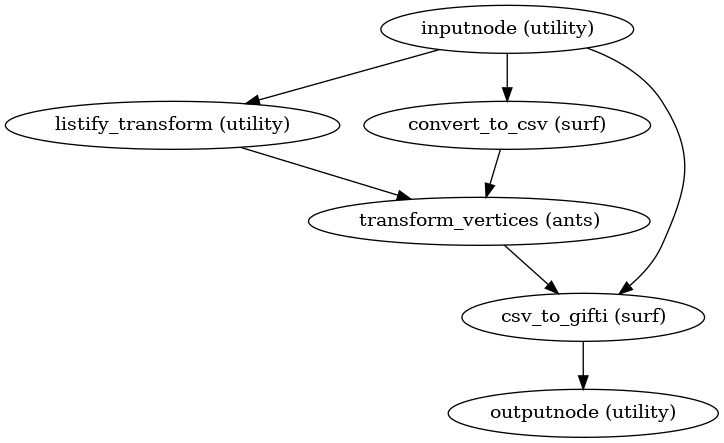
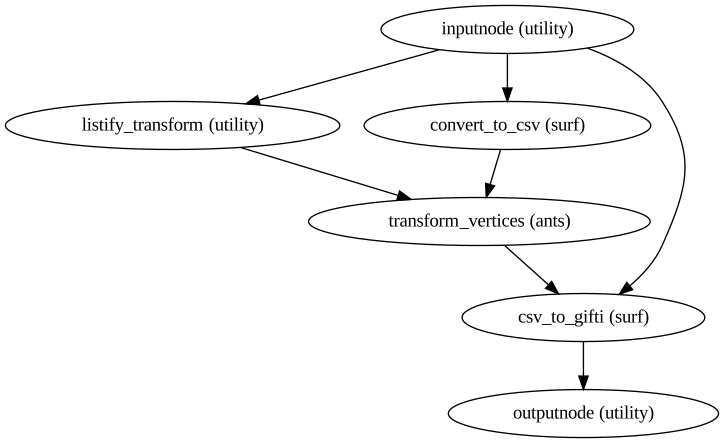
Apply an arbitrary ITK transform to a Gifti file.
- Workflow Graph
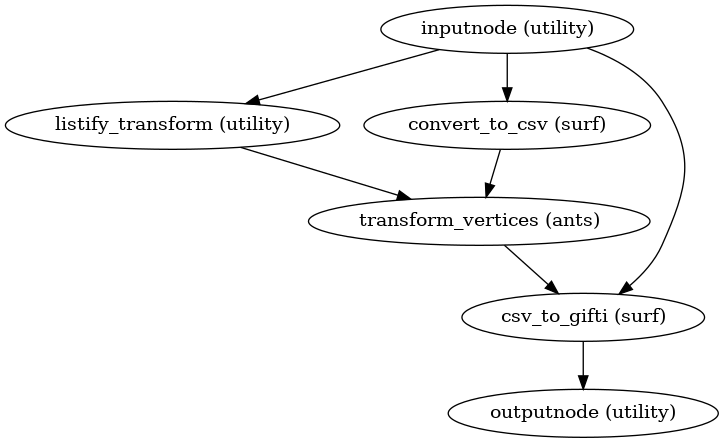
(Source code, png, svg, pdf)
- Parameters:
name (
str, optional) – Name of the workflow. This is used for working directories and workflow graphs.- Inputs:
native_surf_gii – T1w image, after warping to standard space.
itk_warp_file – T2w image, after warping to standard space.
- Outputs:
warped_surf_gii – Gifti file where the transform in
itk_warp_filehas been applied to the vertices innative_surf_gii.